
Exporting and viewing private data
Zodl provides the option to export your local database. This contains various details such as the record of all your transactions, swaps, addresses and more.
Please note: Neither your recovery phrase nor private keys are contained in this database export. The only way to back up your private key is through your recovery phrase within the Zodl app.
Exporting the private data files
In Zodl, go to: '...' > More > Advanced Settings > Export Private Data.
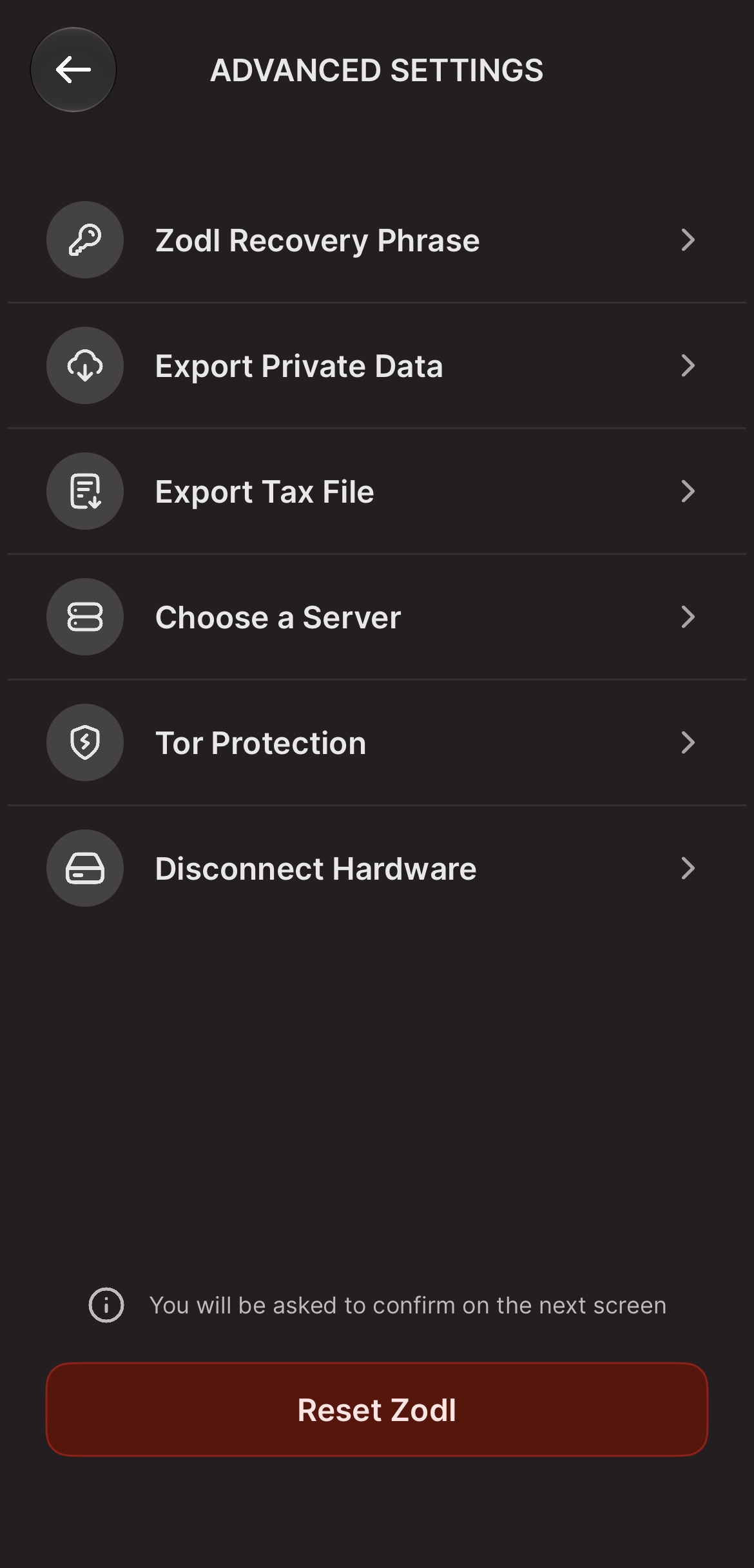
Carefully read the warning text on this screen, then tick the acknowledgement checkbox and tap 'Export'.

Two files are generated: ZcashSdk_mainnet_data.db and zashiPrivateData.zip.
You'll be asked where to save these, which could be locally on your phone, or to an application such as Signal or Proton Drive.
Please choose a safe and secure location, one that isn't exposed to other apps, and do not send them to yourself over a transparent medium, such as unencrypted e-mail. These files contain highly sensitive information which will expose the history of your transactions, among other private details.
Inspecting the database
When you've securely transferred these files to your computer, you may inspect them using trusted applications. For an example below, we'll access the list of addresses that your Zodl wallet has generated.
On Linux, macOS, and Windows, you can use DB Browser for SQLite.
After installing, open ZcashSdk_mainnet_data.db with DB Browser for SQLite.
Click on the Browse tab, then select the addresses table in the drop-down list.
In this table, you can view and search for all addresses your wallet has previously generated, along with other details such as the Zcash blockheight they were created at.

Running queries
You can also run queries on the DB.
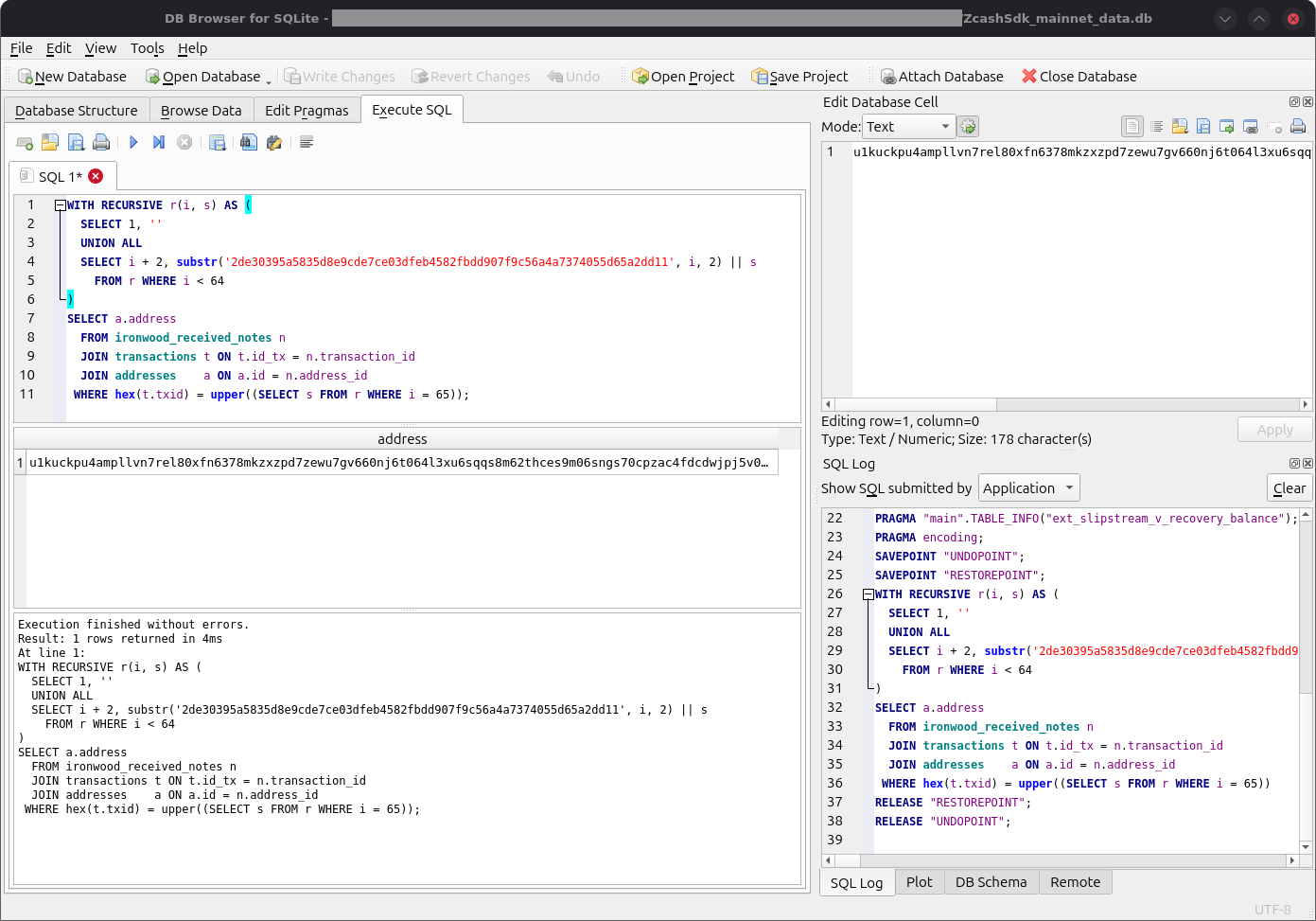
For example, if you have the transaction ID for a deposit to your wallet, and want to find the Ironwood address it was received to, you can click on the 'Execute SQL' tab, and run the following query, replacing the TXID contained below with the TXID in question:
WITH RECURSIVE r(i, s) AS (
  SELECT 1, ''
  UNION ALL
  SELECT i + 2, substr('2de30395a5835d8e9cde7ce03dfeb4582fbdd907f9c56a4a7374055d65a2dd11', i, 2) || s
    FROM r WHERE i < 64
)
SELECT a.address
  FROM ironwood_received_notes n
  JOIN transactions t ON t.id_tx = n.transaction_id
  JOIN addresses    a ON a.id = n.address_id
 WHERE hex(t.txid) = upper((SELECT s FROM r WHERE i = 65));
Click the 'play' button to run it. The result will be the addresses associated with the deposit.
Other notes
Again, the above does not contain your wallet private keys. A backup of this database will not help you recover your wallet. Only a copy of your recovery phrase can do so.
When you're done inspecting your wallet database, the safest thing to do is delete the export you made of it. Files on desktop computers are often accessible by any application that runs on it.