
Recovering funds from an ephemeral address following a TEX address send
When sending to Binance, transactions make a double-hop. This is because Zodl always sends from a shielded address, and Binance's tex1 addresses can only receive from a transparent address. So Zodl first sends to an ephemeral transparent address that your wallet owns, then sends from that address to Binance's.
If you see that your transaction to Binance failed, then your funds are at this temporary address in your wallet and need to be recovered. Follow the process below to use our recovery tool.
Identify the ephemeral address
The ephemeral address involved will begin with t1... . (This is not Binance's address which begins with tex1... )
This can be found in the details of a specific transaction in your Activity list. You should see it as the transaction prior to your send attempt, one that is for an amount of 0.00015 ZEC.
Tap on this transaction, and copy the t1... address from it.
Using the 'Discover Funds' tool
1. Enable Tor protection in Advanced Settings (if not already enabled)
2. Copy the ephemeral address to your phone's clipboard
3. Go to the Settings screen, and long-press on the ZODL logo at the bottom
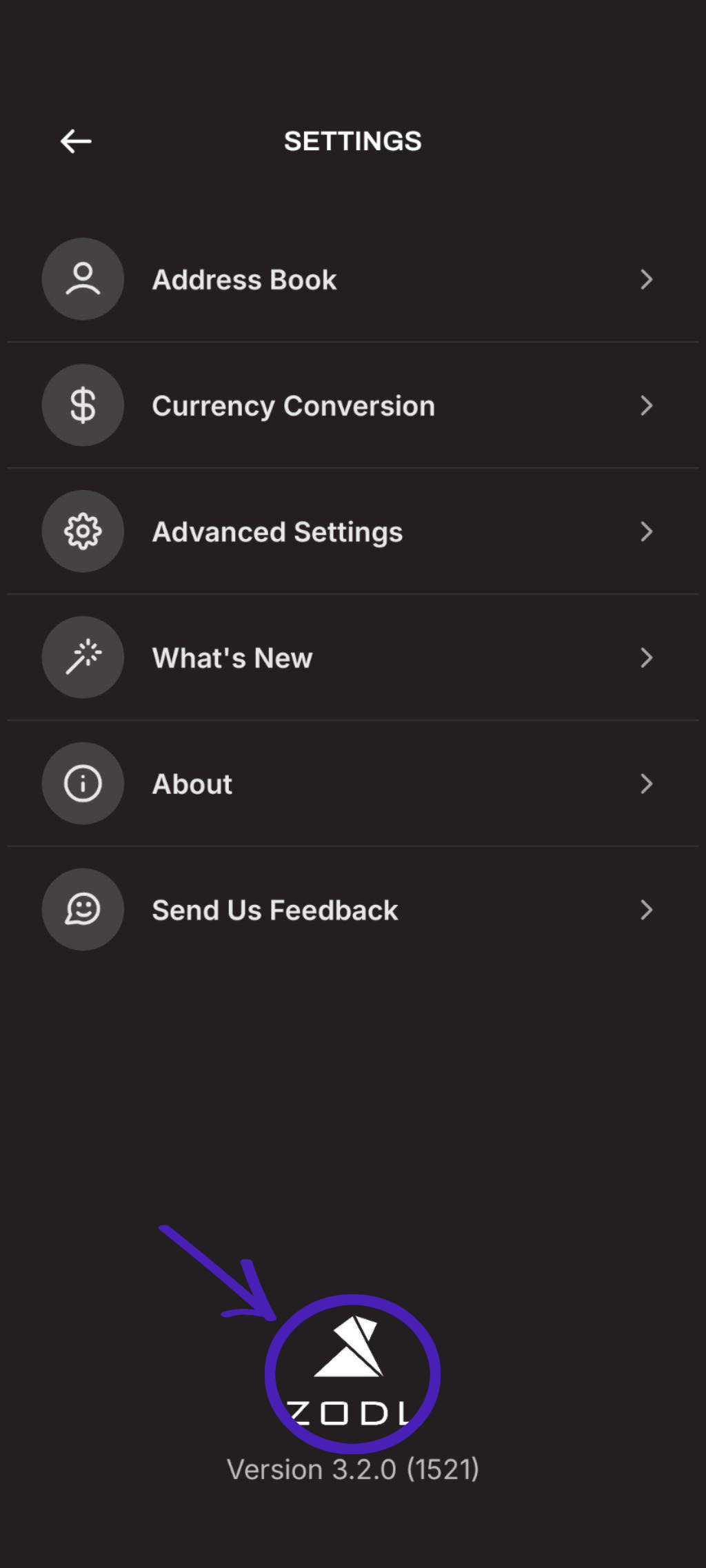
4. In the 'Discover Funds' card, paste in the transparent address and tap 'Scan address'
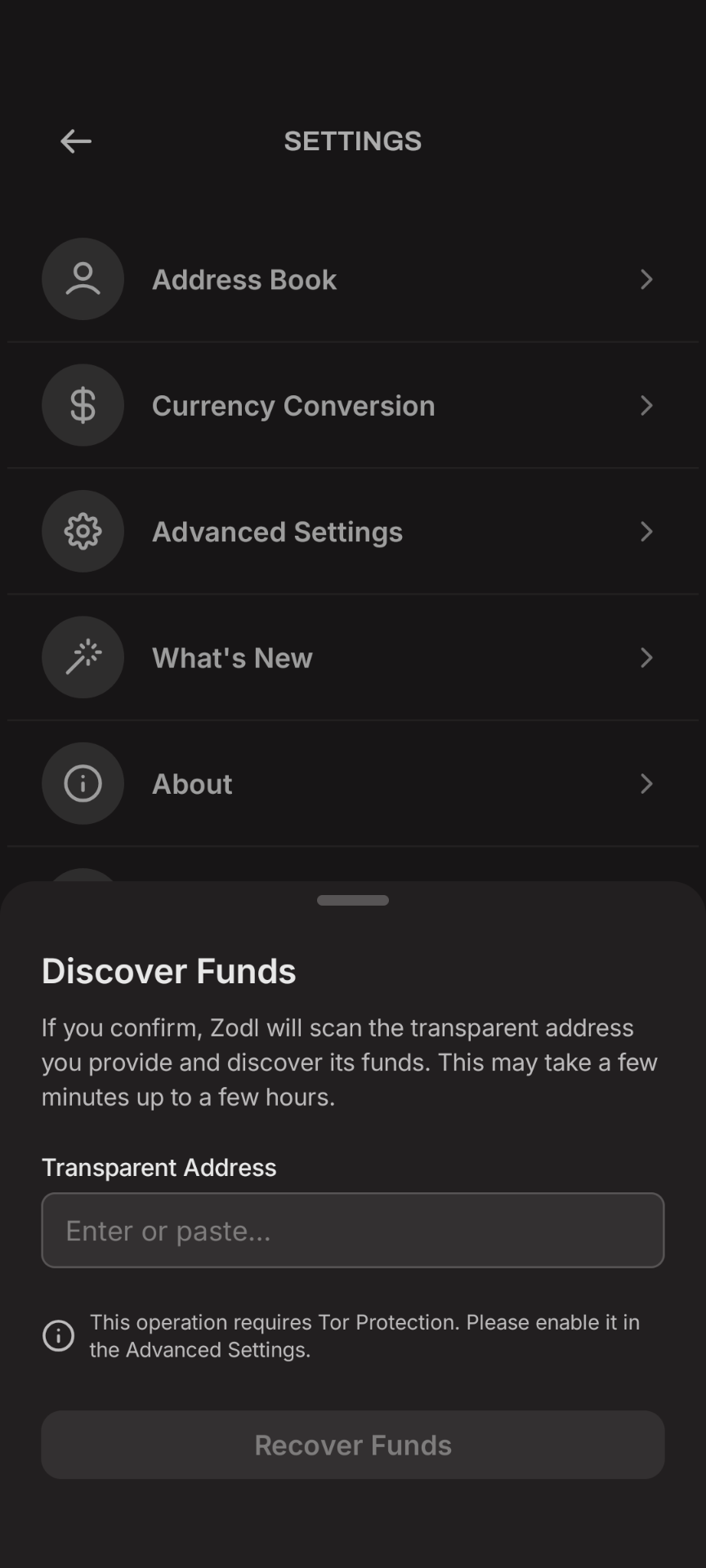
5. If the funds are at that address, they should be recovered in a few seconds
Further assistance
If you run into any issues performing the above, or have questions, please e-mail our support address and we'll be happy to help.